

Administrator's guide
The person who creates an organization automatically becomes its administrator. As an administrator, you’ll follow a typical workflow to set up and manage your organization:
Create an organization
Open your web browser and visit the Playground.
When you create an organization, it uses the Free plan. For details on the rate limits for each plan, see the Rate limits page. To upgrade, follow the steps in the Upgrade your organization’s plan section.
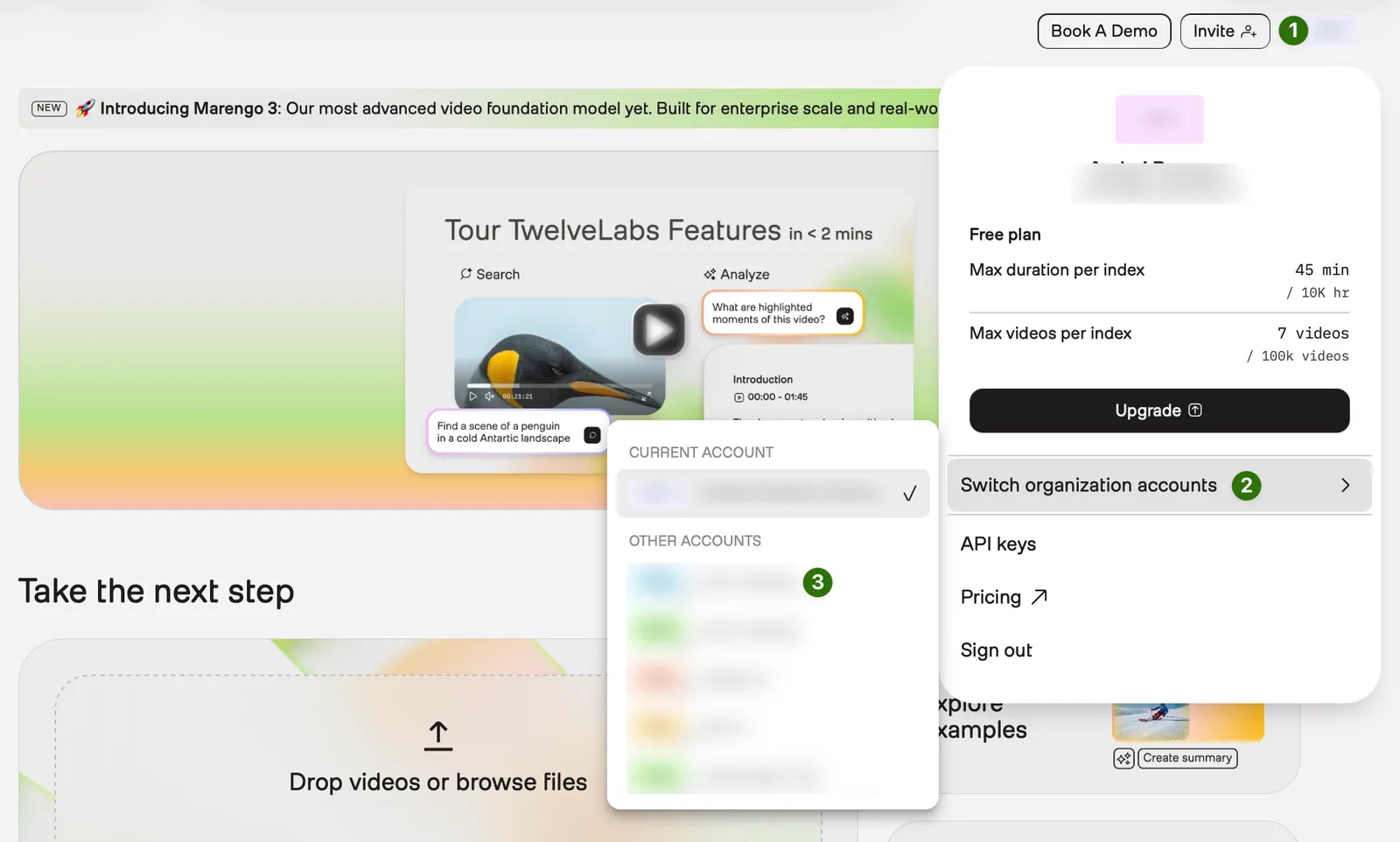
Switch between your accounts
You must switch to your organization account before managing your organization or your team members. Skip these steps if you just created an organization - the platform automatically switches to your organization account. You’ll need these steps when returning to the Playground later or switching between multiple organizations.
Your current account is displayed in the top-right corner of the screen. Personal accounts are marked with your initials, while organization accounts will show the initials of the respective organization.
To switch between your accounts:
From any page of the Playground, select your profile icon in the top-right corner.
Manage team members
This section covers all aspects of managing users within your organization, including inviting new members, reassigning roles, and removing members.
Invite team members
Select the Add members button. Each team member will receive an email invitation to join the organization.
Reassign roles
Remove users
Manage your organization
The following sections show you how to complete common administrative tasks.
View billing information
Monitor resource usage
Upgrade your organization’s plan
Downgrade your organization’s plan
Delete an organization
Deleting an organization permanently removes all associated data, including indexes, videos, and S3 integrations. You cannot undo this action.
To delete an organization, contact the customer support team by email at support@twelvelabs.io. Include the name of the organization you want to delete.