

An asset is a video, audio, or image file you upload to the platform. The Assets page is where you upload, browse, preview, and delete your files.
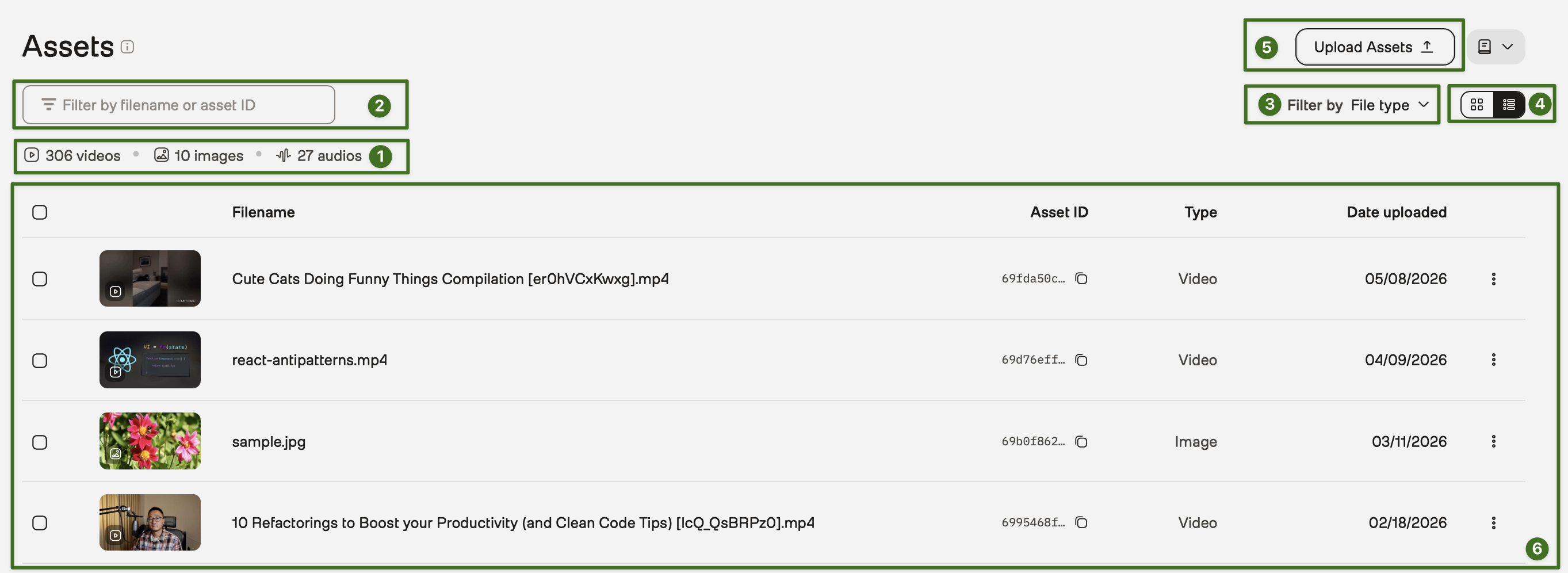
The following image shows the user interface and the key elements:
To use a video asset for search, you must add it to an index. Analysis, segmentation, and embeddings do not require indexing.
Add a single video:
Add multiple videos:
Select an asset in the list to open the detail panel. The panel shows a media player and the associated metadata.
This action cannot be undone.
Delete a single asset:
Delete multiple assets: